Facebook is full of videos worth keeping — recipes, tutorials, family moments and funny Reels — but there’s no built-in button to save them to your phone. This guide shows you how to download Facebook videos in HD on any device in under a minute, and explains what you can (and can’t) do with videos you see in Facebook Messenger.
Quick answer: Tap Share on the video → Copy link → paste it into the GrabSaver Facebook Video Downloader → choose HD → tap Download.
How to download a Facebook video in HD (step by step)
Step 1: Copy the video link
- In the Facebook app: tap Share below the video and choose Copy link.
- For Reels: tap the Share arrow on the right side of the Reel, then Copy link.
- On a computer: click the video’s date/time stamp to open it on its own page, then copy the URL. Links usually look like
facebook.com/watch/?v=…,facebook.com/reel/…orfb.watch/….
Step 2: Paste it into GrabSaver
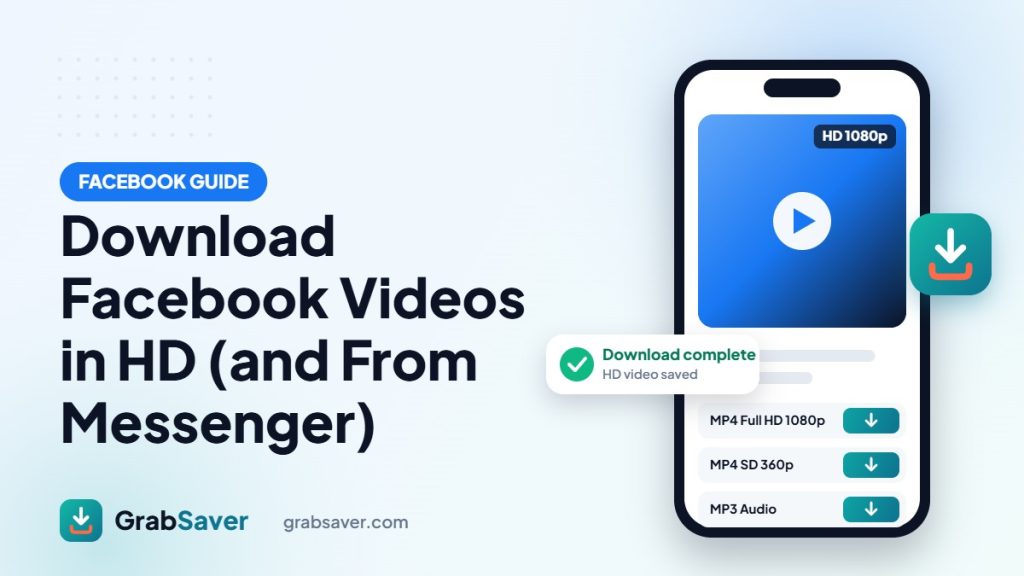
Open the Facebook video downloader, tap Paste and press Download. You’ll see the video’s thumbnail and the available qualities.
Step 3: Pick HD and save
Choose the highest option (HD 720p or Full HD 1080p when available) and tap Download. A progress bar shows the file being prepared and downloaded, then “Download complete”.
HD vs SD: which should you choose?
| Quality | Resolution | Best for |
|---|---|---|
| Full HD | 1080p | Large screens, editing, keeping the best copy |
| HD | 720p | Phones and tablets — sharp but smaller files |
| SD | 360p–480p | Saving storage or mobile data |
Note: HD is only offered when the person who posted the video uploaded it in HD. If you only see SD, that’s the best quality Facebook has for that video.
Download Facebook videos on iPhone
- Copy the video link from the Facebook app.
- Open Safari and go to grabsaver.com/facebook-video-downloader.
- Paste the link, tap Download and choose HD.
- The video saves to Files → Downloads. Open it, tap Share and choose Save Video to add it to Photos.
Download Facebook videos on Android
- Copy the link from the Facebook app.
- Open Chrome and visit the GrabSaver Facebook downloader.
- Paste, tap Download and pick a quality.
- Find the video in your Gallery or Files → Downloads.
Download Facebook videos on PC or Mac
Open the video on its own page, copy the URL, paste it into GrabSaver and click the quality you want. The MP4 file goes straight to your browser’s Downloads folder.
How to download a video from Facebook Messenger
This is one of the most searched questions, so here’s the honest answer. It depends on where the video came from:
1. A Facebook post or Reel someone shared in your chat
Most videos in Messenger are actually links to public Facebook posts or Reels. Tap the video in the chat to open the original post, then use Share → Copy link and paste it into the Facebook downloader. It downloads like any other Facebook video, in HD when available.
2. A video your friend recorded and sent directly
Videos sent privately inside a conversation are protected by end-to-end encryption and have no public link, so no online downloader can fetch them — and any site that claims it can is not being honest. Instead:
- On a phone: press and hold the video in the chat and look for a Save option.
- On a computer: open the chat at messenger.com, click the video to open the viewer and use the download button if it is shown.
Never enter your Facebook password on a “Messenger downloader” website — that’s a common way accounts get stolen.
Why won’t my Facebook video download?
- It’s private or friends-only: only public videos can be downloaded.
- It’s inside a private group: group videos are not publicly accessible.
- It’s a live stream still in progress: wait until the broadcast ends.
- Wrong link: copy the link of the video itself, not of the page or profile.
Use downloads responsibly
Save videos for personal viewing, or your own content as a backup. Don’t re-upload other people’s videos as your own — always ask permission and give credit.
More free downloaders
You can also download Instagram photos and Reels, save TikTok videos without watermark and download YouTube videos in one click. Read next: How to download Instagram photos and How to download YouTube videos in 1 click.
Frequently asked questions
Is the Facebook video downloader free?
Yes. GrabSaver is free to use with no sign-up and no app.
Can I download Facebook Reels?
Yes. Copy the Reel link and paste it into the downloader — Reels save as MP4 with sound.
Can I save just the audio from a Facebook video?
Yes. Choose MP3 Audio after pasting the link.
Does the uploader know I downloaded their video?
No. Facebook does not notify people when a public video is downloaded through a link.